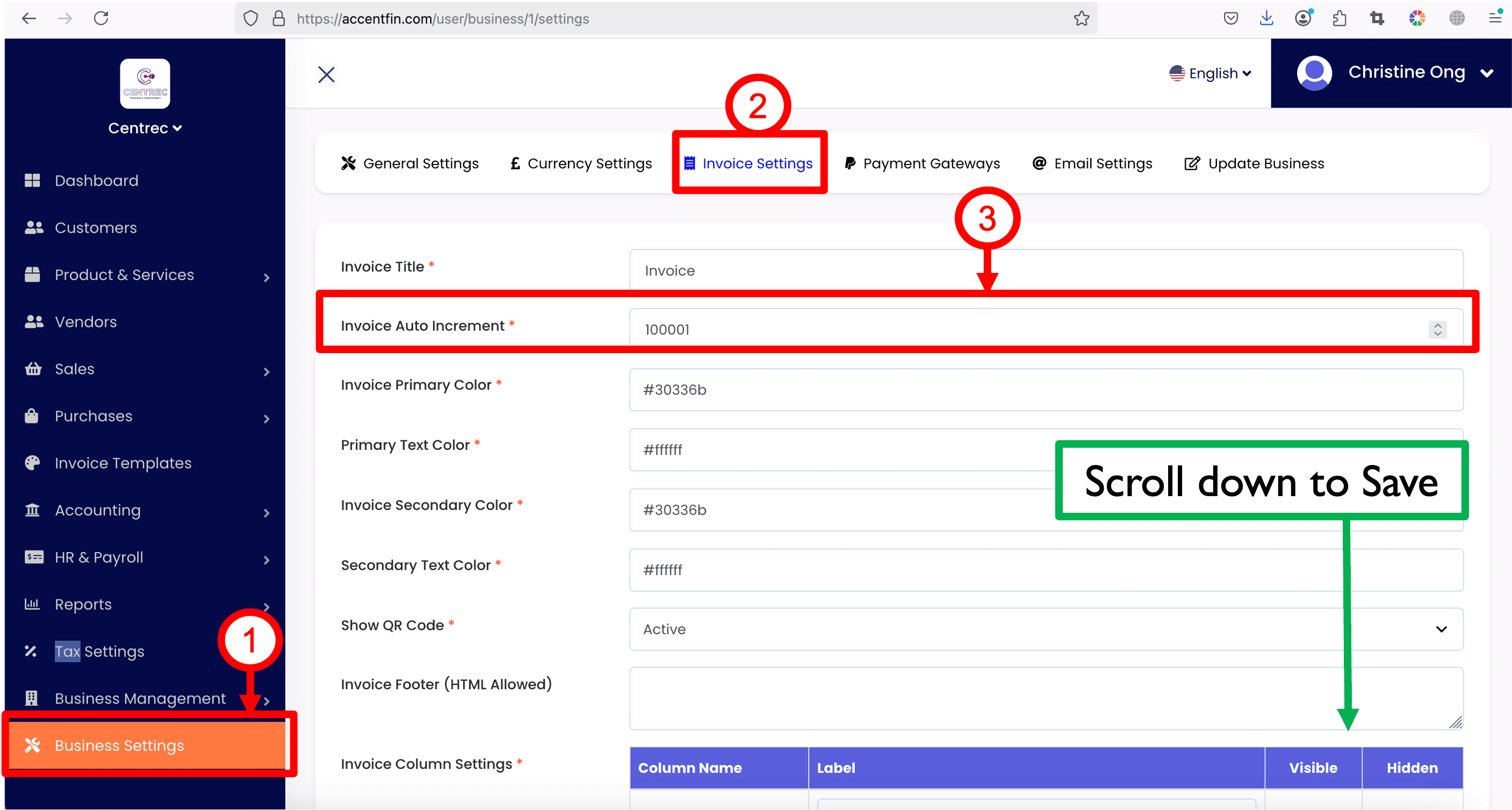
1. After you logged in to your account in Accent system, proceed to Business Settings at the side menu.
2. Proceed to Invoice Settings.
3. Set the invoice starting number for your business.
4. You may update other invoice settings such as the invoice colors and so on to match your business's theme.
5. After setting up everything, scroll to the bottom of the page and click Save Settings.
NOTE: If this is your first time setting up this Invoice Settings, please make sure to click on Save Settings, else the setup will not take place.
Comments (0)